Managing your Symbol Tabs
Written By Max Muir
Last updated Over 1 year ago
Quickly switch between and manage the symbols you want to analyse in TradrLab.
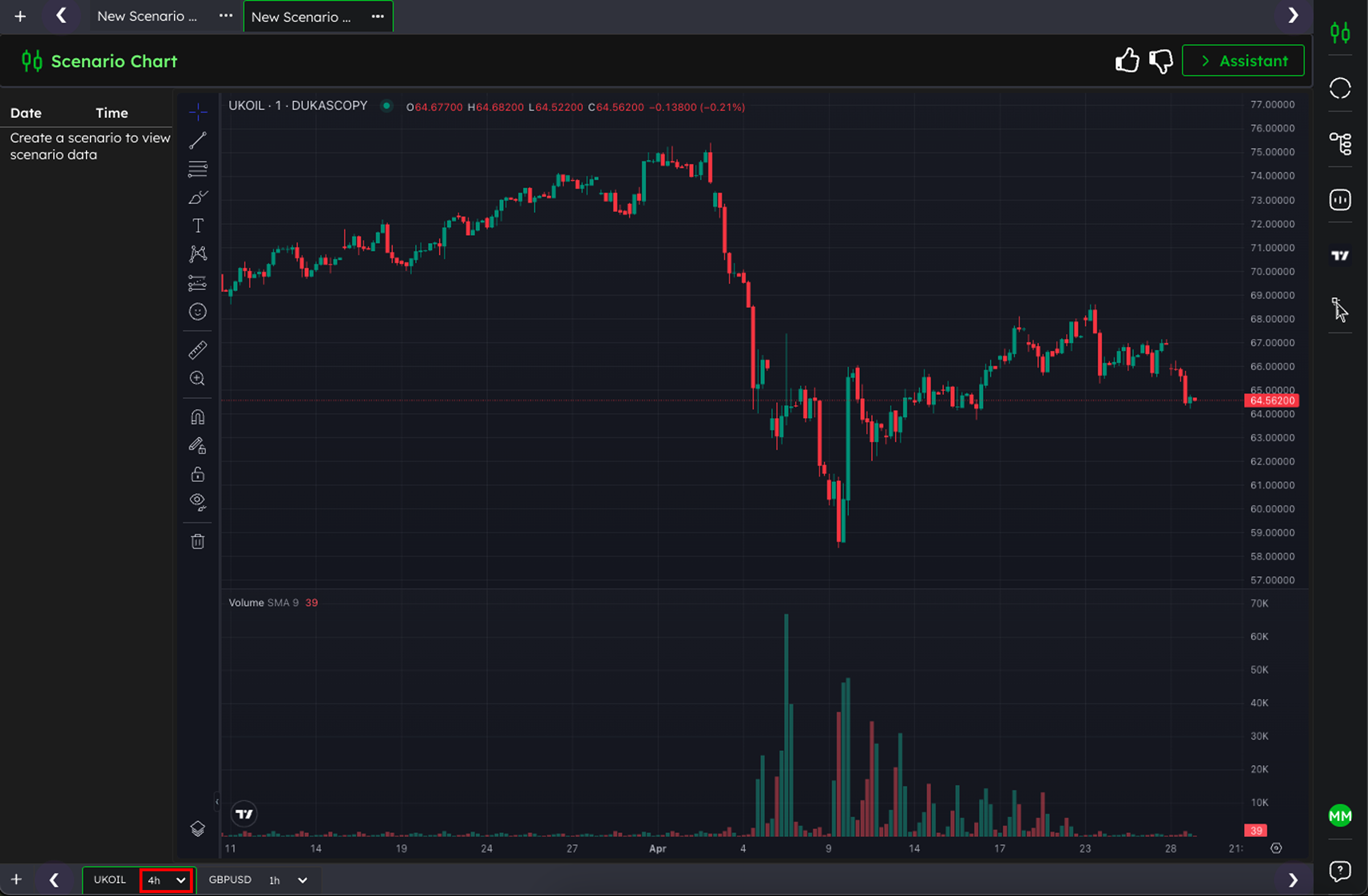
🔄 How to change symbol timeframe
Click the dropdown icon in the Symbol Tab.
Select the timeframe you want from the list
This will change the frequency of the bars on the chart above
🗂 How to Switch Between Symbols
Use the tabs at the bottom (e.g.,
UKOIL 4h,GBPUSD 1h) to jump between charts.Each tabs Symbol and Timeframe dictates what is displayed on the chart.
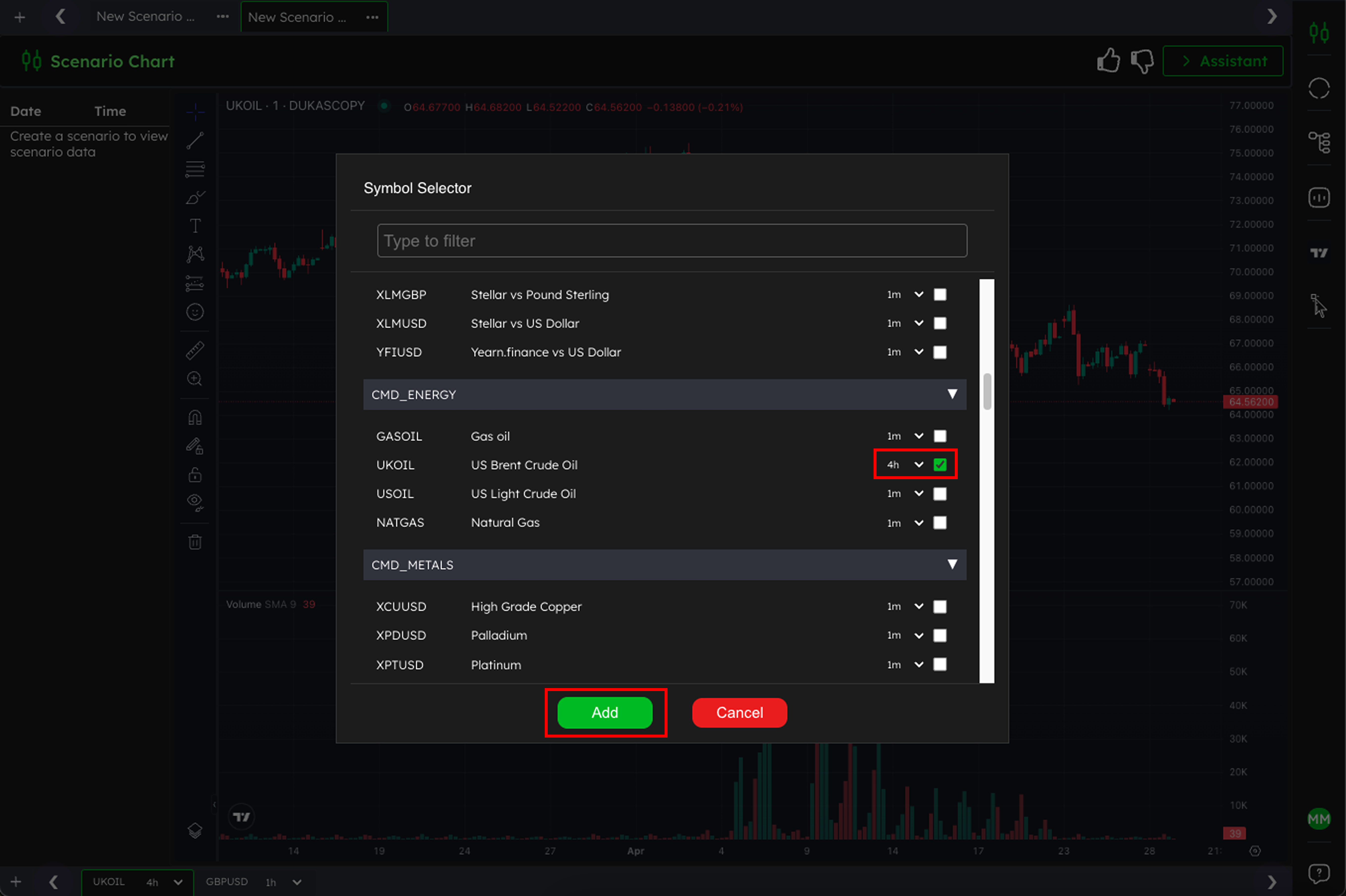
❌ How to Remove a Symbol Tab
Click the plus button (
+) in the bottom left corner of your workspace.In the Symbol Selector window, find the symbol you want to remove.
Uncheck the selected timeframe(s) for that symbol.
Click Add to confirm and update your tabs.
✅ Tip: This will remove the symbol’s tab from your workspace, but you can re-add it anytime by following the same steps.
Was this helpful?
Still need help? Ask the team