How to add new Scenario Tab
Written By Max Muir
Last updated Over 1 year ago
Follow these steps add a new Scenario Tab in TradrLab.
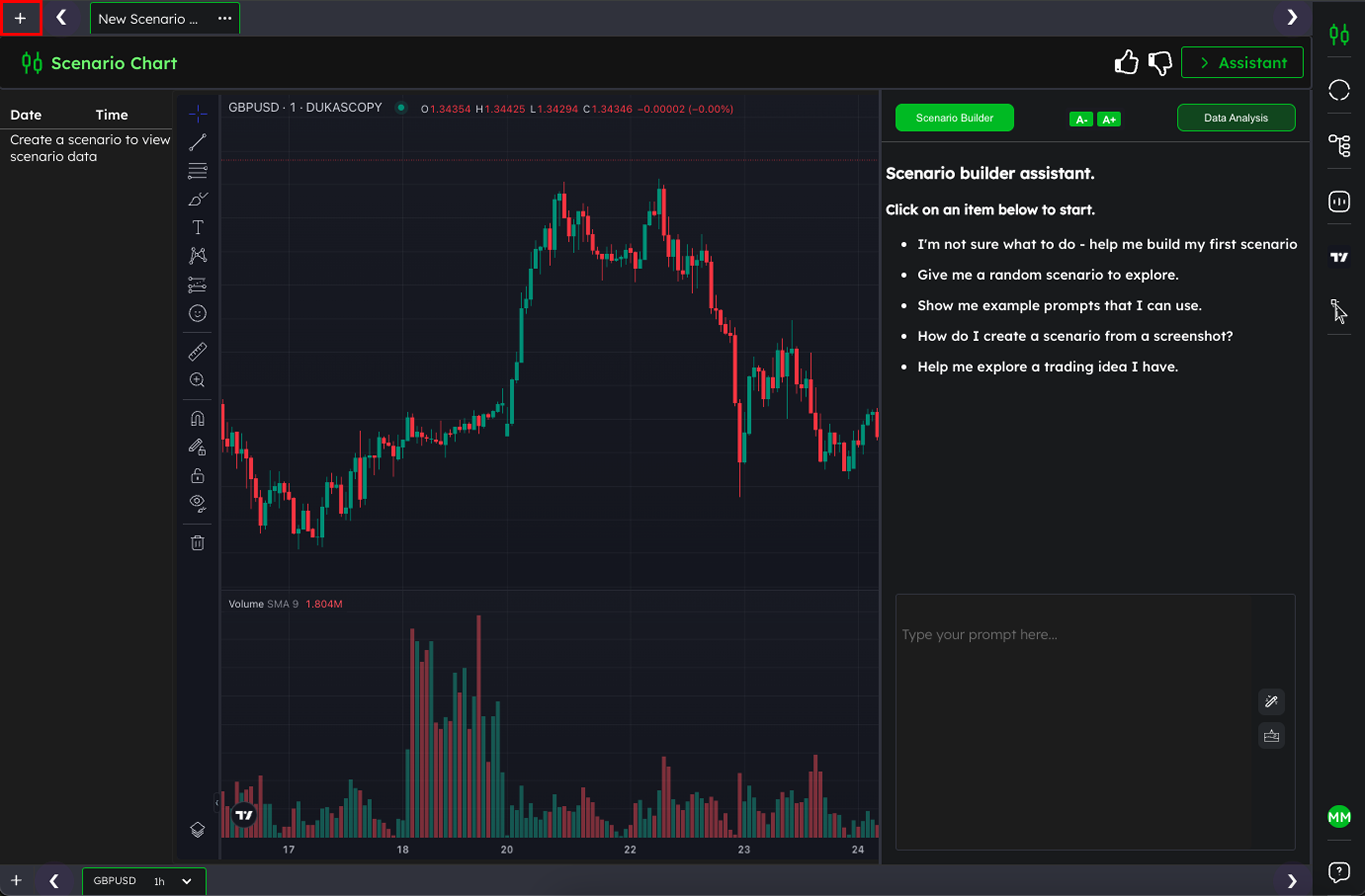
Step 1: Click the + Button
Look at the top left of your screen and click the + button to open the Scenario Selector.
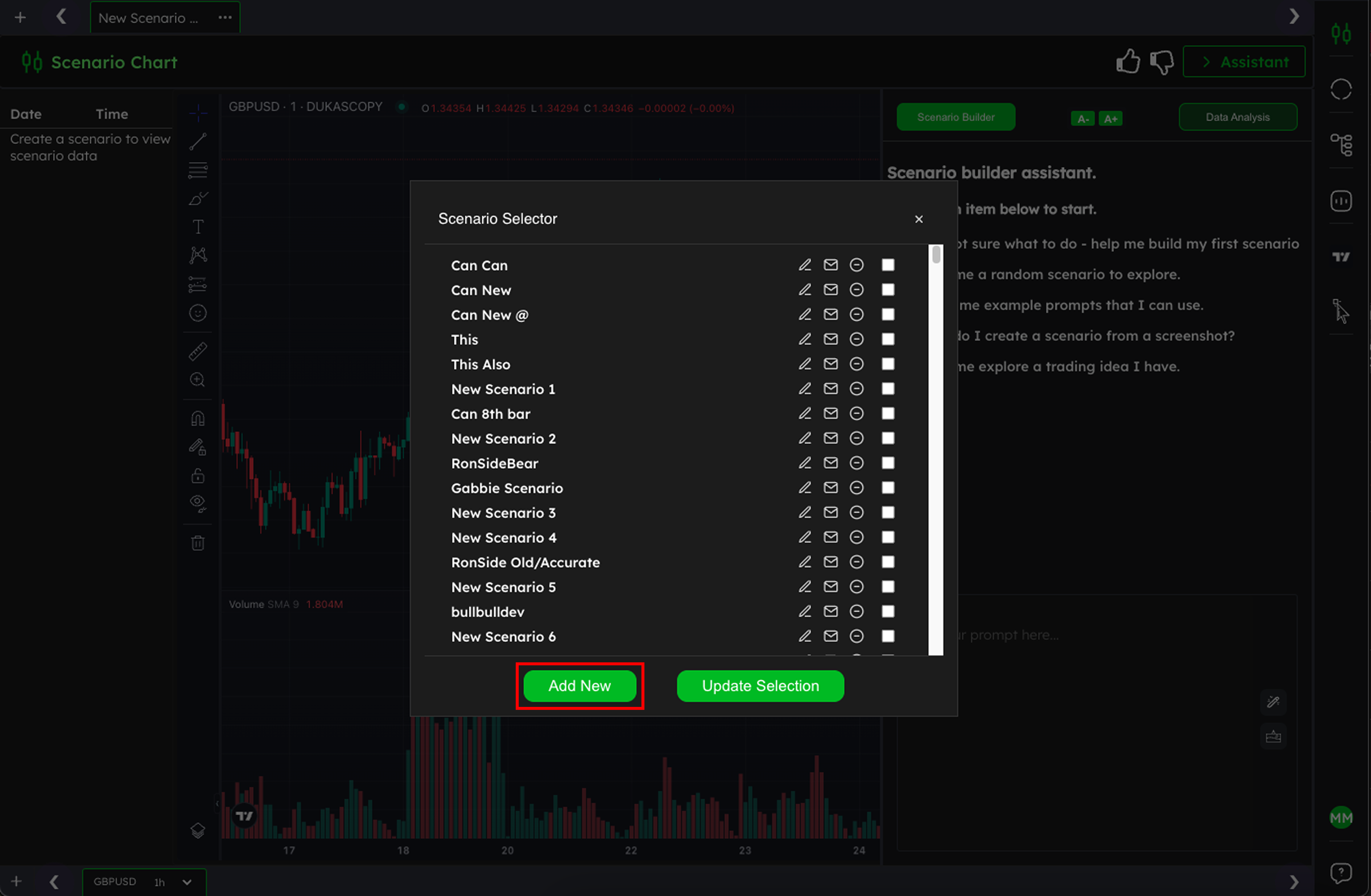
Step 2: Click Add New
In the Scenario Selector popup, click the Add New button at the bottom. This will create a fresh Scenario Tab for you to work in.
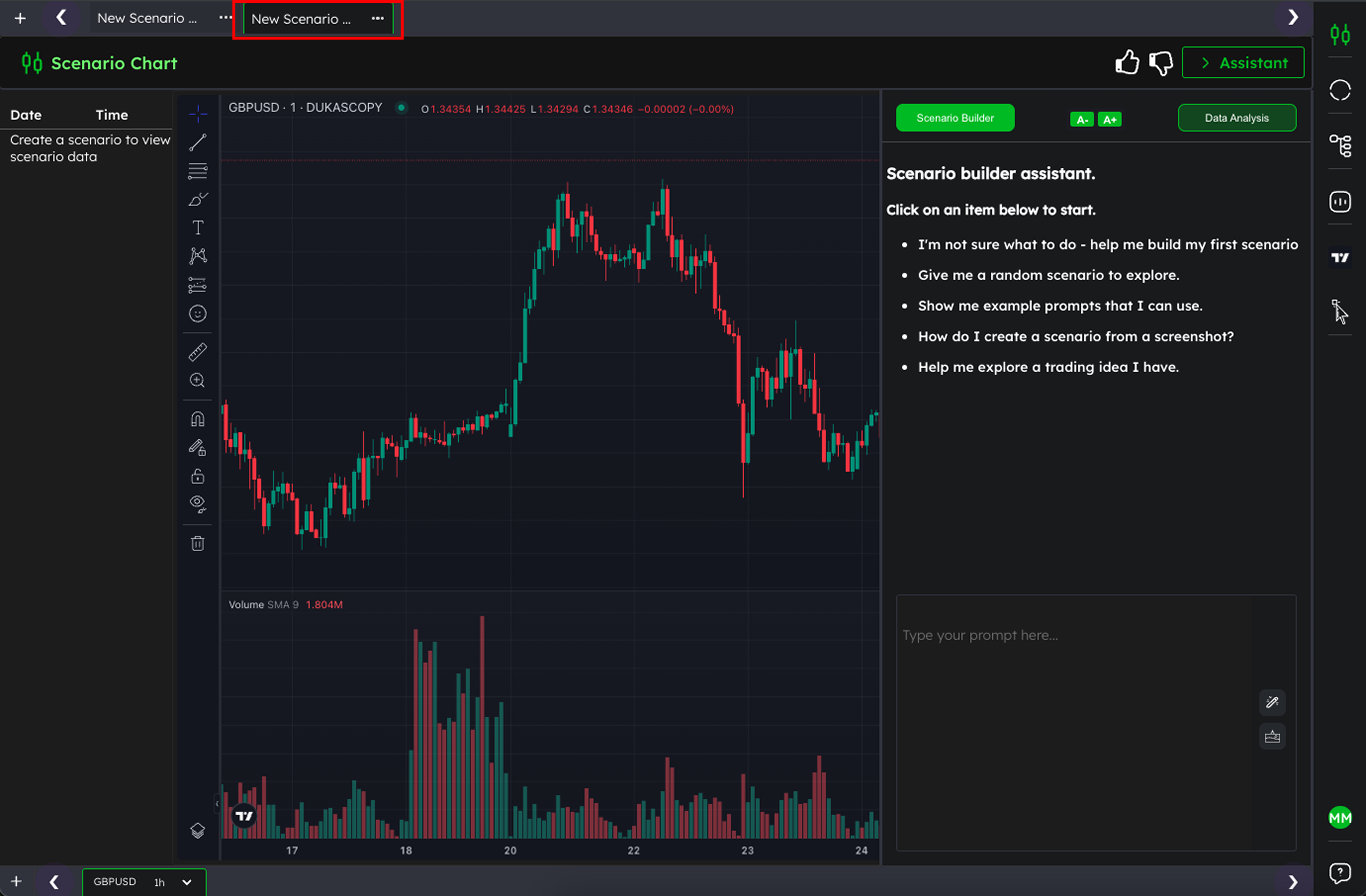
Step 3: Your’e ready to start building Scenarios
At the top of the screen, you’ll now see a new tab. You have now successfully added a new Scenario Tab and are ready to start building your Scenario.
Was this helpful?
Still need help? Ask the team